Plans and payment
Prices and benefits follow what is shown on the Membership page. You can only buy after you have signed in and completed your profile.
1. The three options shown now
The Membership page shows three cards. The prices below are the ones currently written on the site.
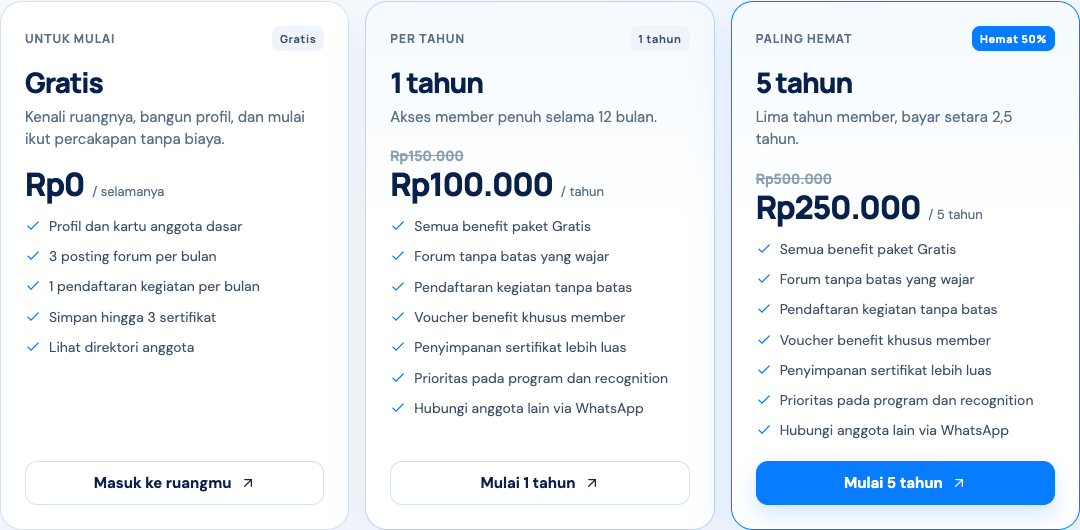
- Free account, Rp0. Academic profile, read-only forum access, event calendar, a preview of the digital member card, and community guides.
- 1-year member, Rp100.000. Billed once for 12 months. The crossed-out price shown is Rp150.000.
- 5-year member, Rp250.000. Billed once for 60 months. The card says Save 50 percent, equal to Rp50.000 a year.
Paid membership unlocks forum replies, event registration, QR e-tickets, e-certificates, the official digital card, the member directory, and vouchers.
2. What opens after membership is active
The 16-digit member number, public verification QR, card printing, event registration, e-tickets, and certificates become active after payment is confirmed, or after a voucher brings the total to Rp0. A free account can still enter the member space, complete a profile, view the calendar, and read the forum.
3. Complete your profile first
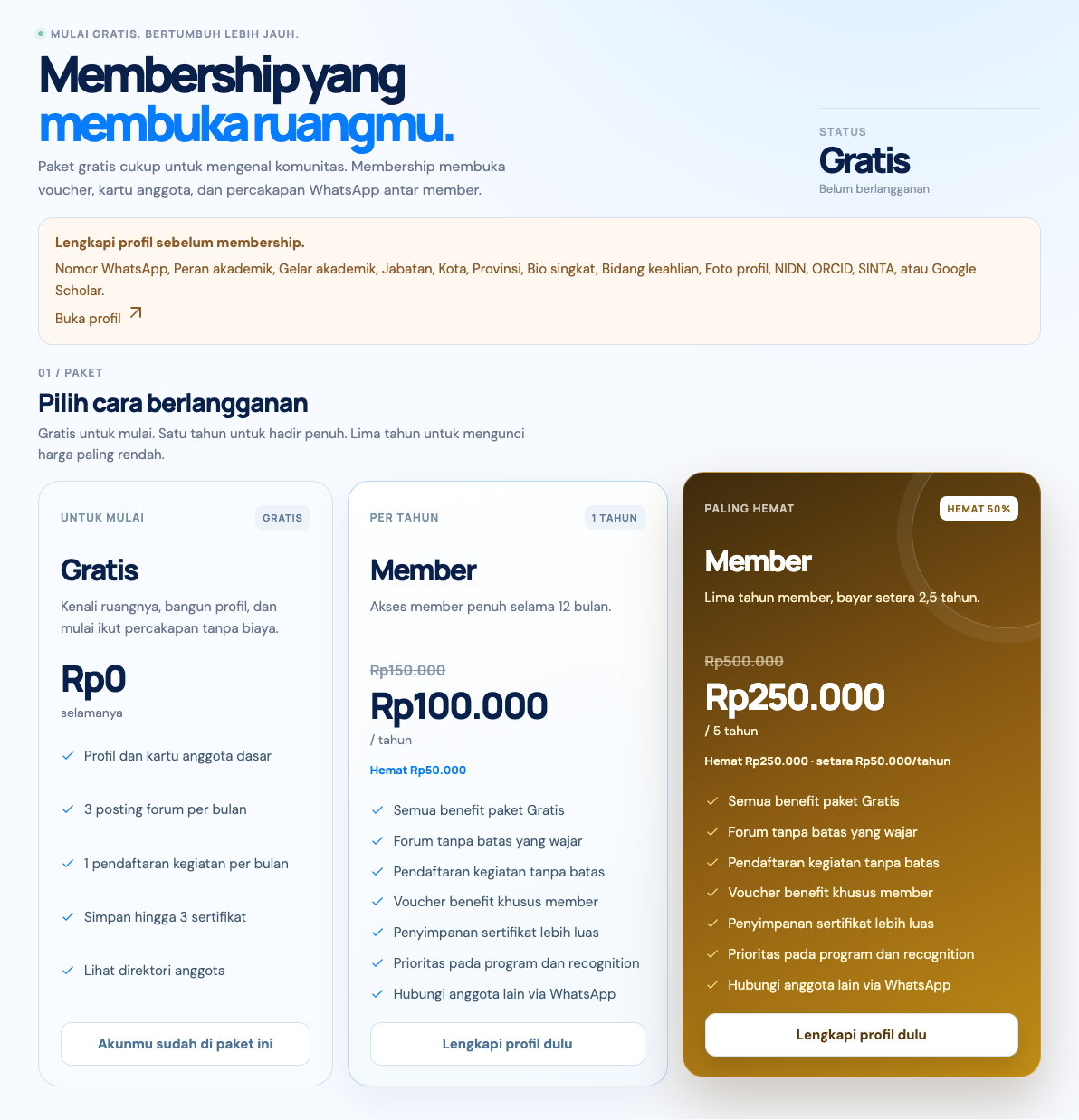
From the member space, open Membership. If the profile is incomplete, the plan button becomes Complete your profile first. Checkout is blocked until the academic data is ready.
4. Choose a cycle, then check out
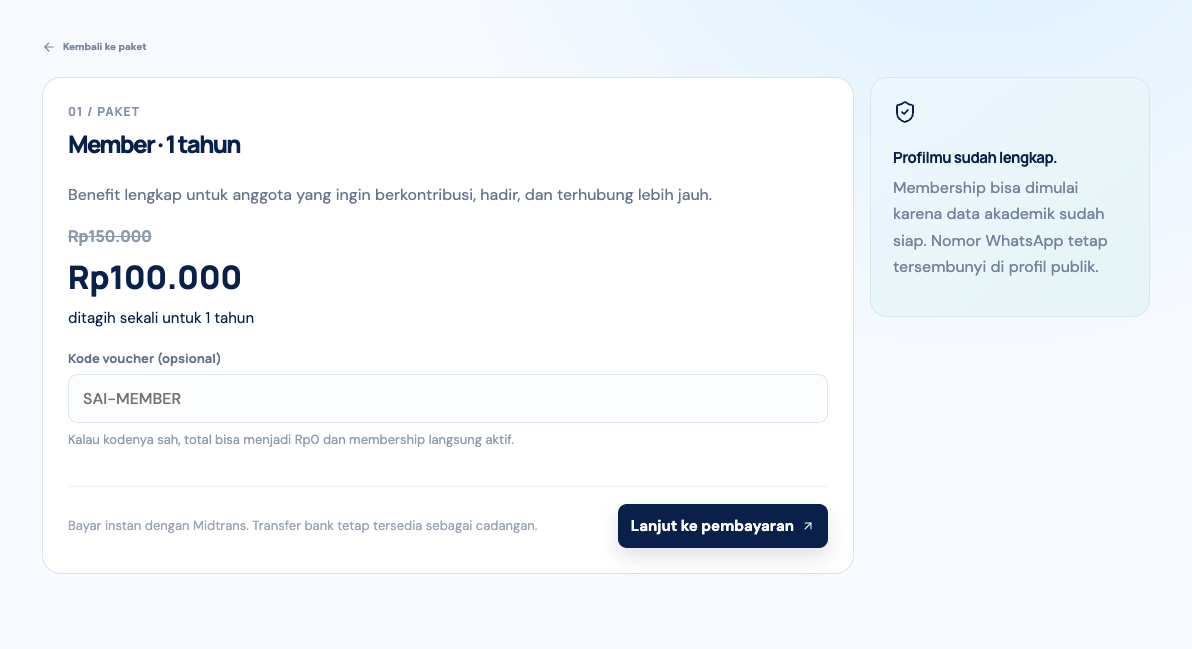
Choose 1 year or 5 years. You then reach Complete membership. There you see the price, can enter a voucher code, then press Continue to payment.
5. Pay
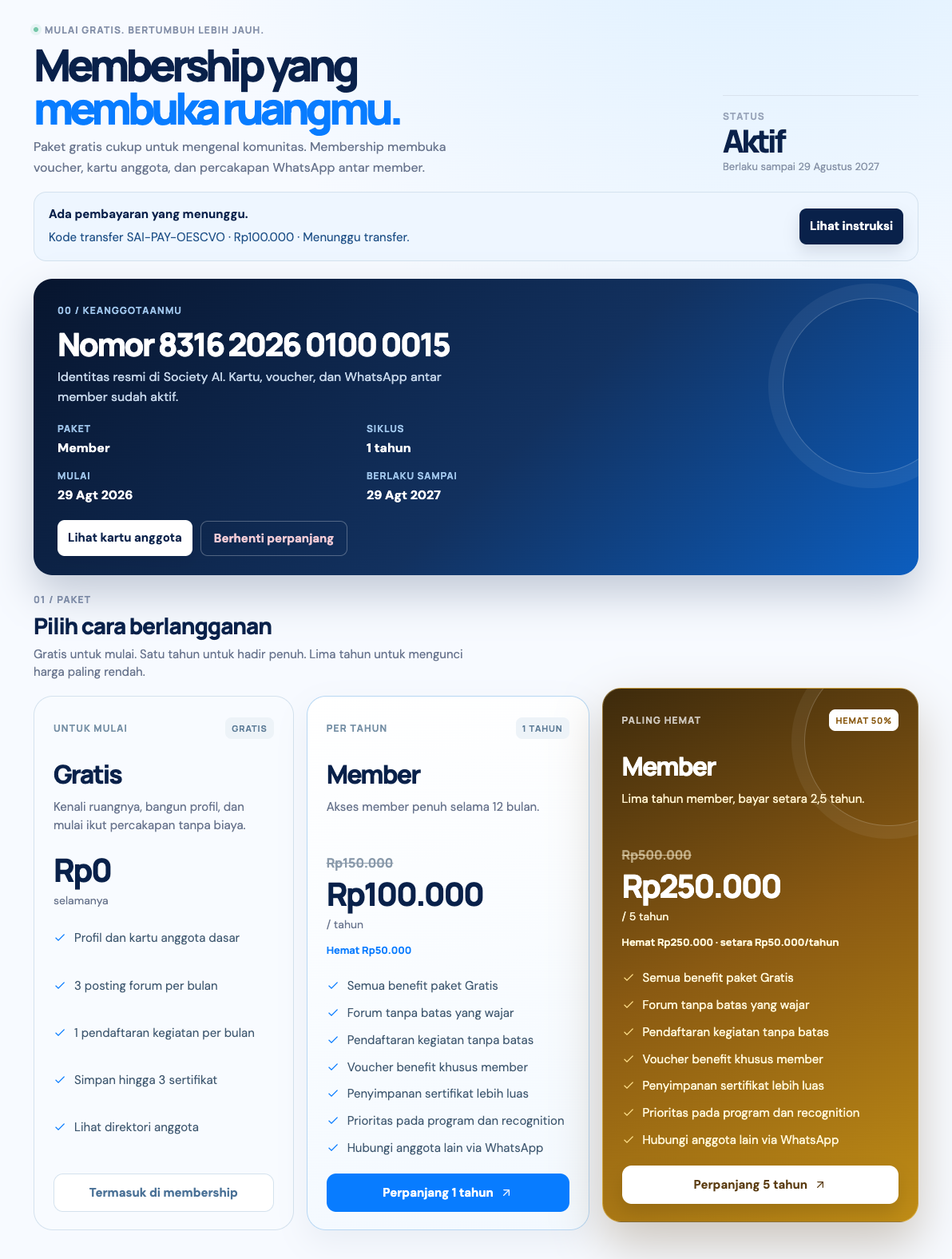
The instruction page has two paths that both exist in the system:
- Midtrans, if the gateway is on. Pay now opens cards, QRIS, virtual accounts, or e-wallets. If payment succeeds, membership activates on its own.
- Bank transfer as the main or backup path. Transfer the exact amount shown. Do not round it. Include the transfer reference. You have 48 hours. After that the invoice cancels itself.
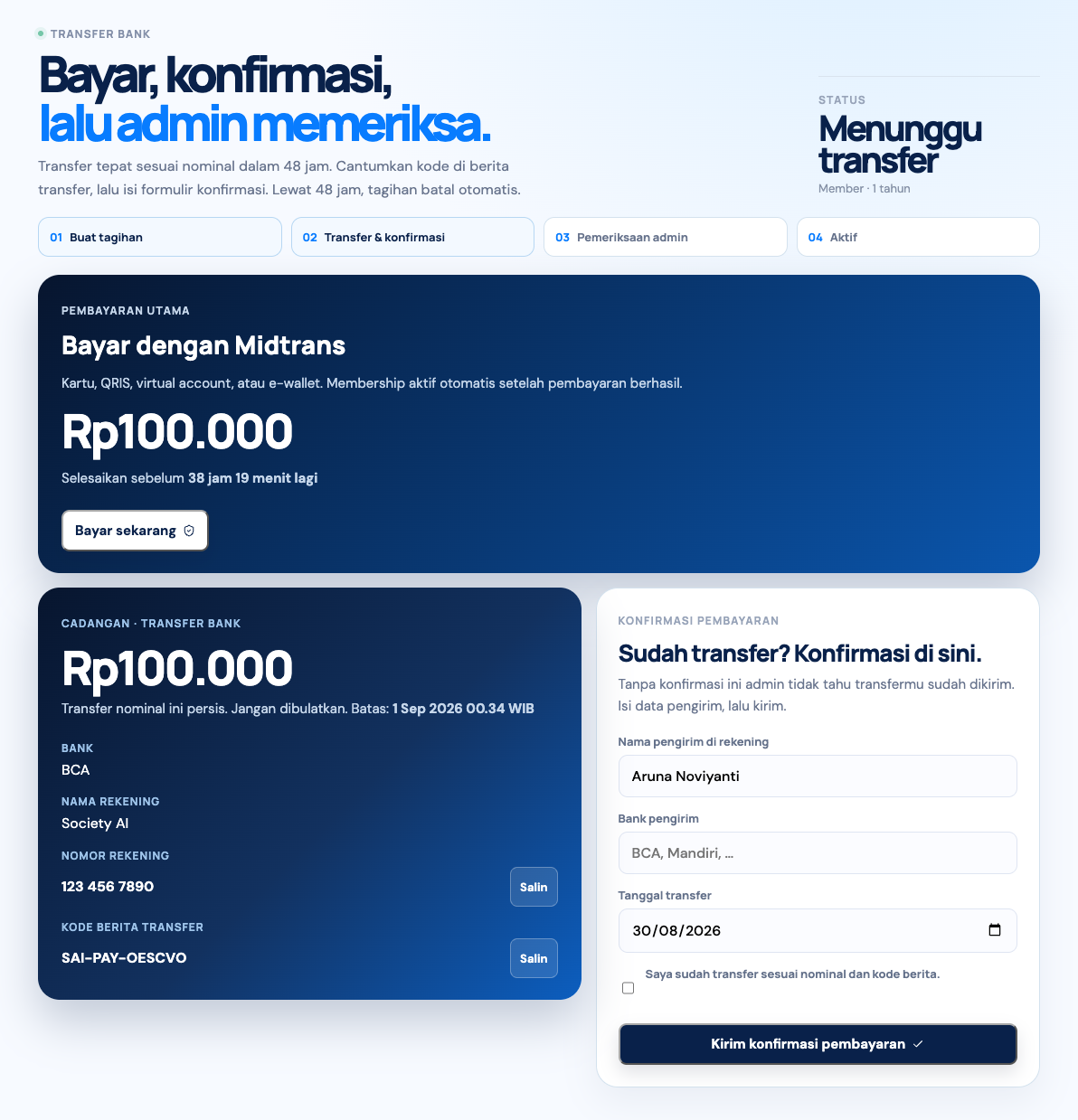
For a bank transfer, fill in the confirmation form: sender name, sender bank, and transfer date, then check that the transfer has been sent. Without that confirmation, organizers have no signal that the money has been sent.
- Create the invoice at checkout.
- Pay through Midtrans, or transfer and then confirm.
- Organizers review it, except for Midtrans payments that already succeeded.
- The status becomes active, rejected, or cancelled after 48 hours.
6. After it is active
The Membership page shows your member number, plan, cycle, start date, and end date. There is a link to the card. Choosing Stop renewal ends renewal after the current period. Fees already paid are not refunded, as set out in the Terms and Conditions.